Prices and profit
A cost figure is only as good as the prices behind it. The Craft Planner shows where each price comes from, how old it is and which prices it is missing.
Where the prices come from
Prices for currency, lifeforce, essences, fossils, resonators, scarabs, beasts and base types come from poe.ninja. Where no feed has a price, you type it.
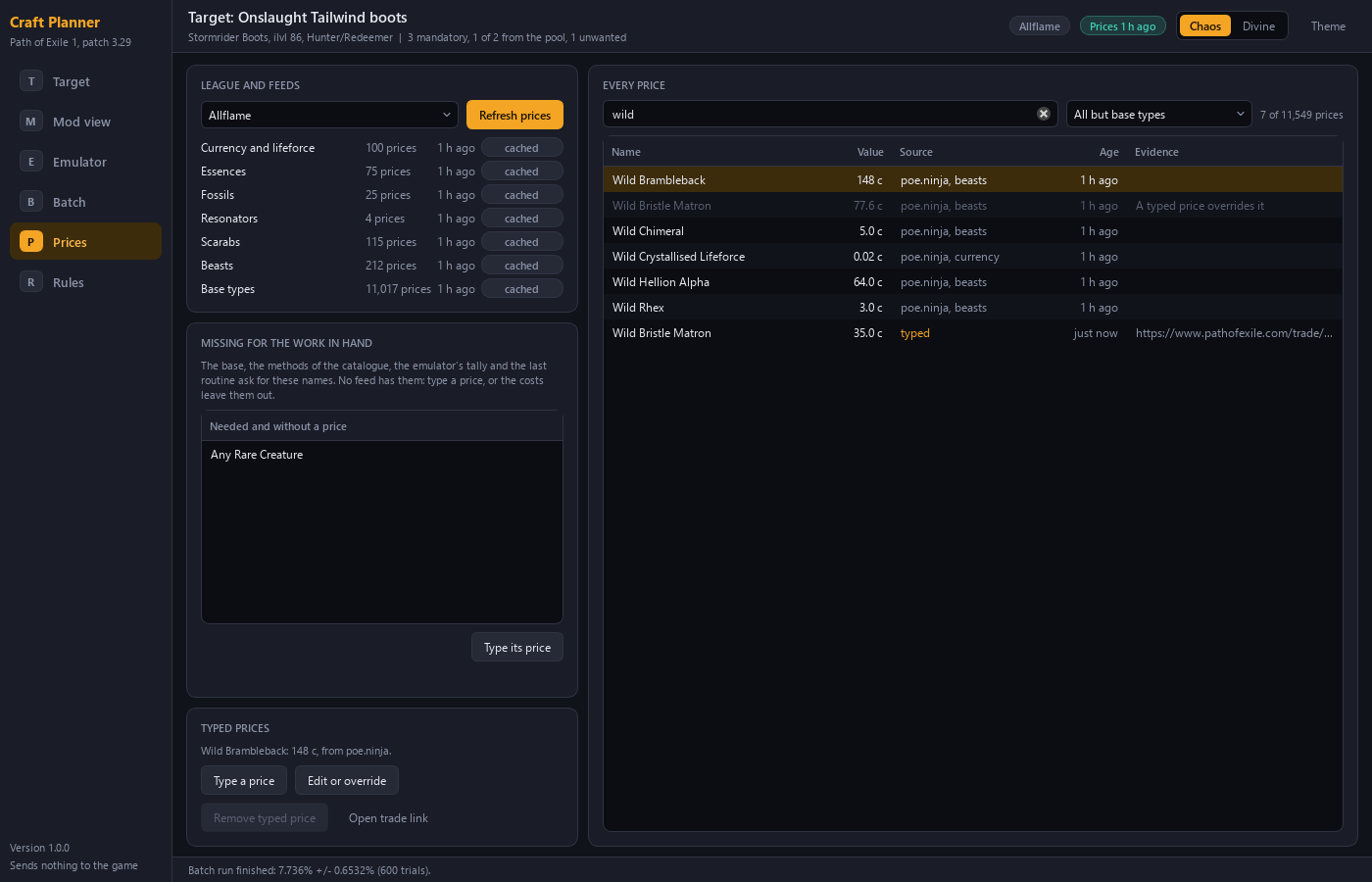
What every price shows
| Design choice | What you see |
|---|---|
| Source and age | Every price names its source and its age |
| Typed prices | A price that you typed is marked |
| Evidence | You can attach a trade search link to a typed price |
| Currency unit | All figures can be shown in divine or chaos |
| Missing prices | The Planner names the items it needs and has no price for |
When a price is missing
The Planner names the items that it needs and has no price for. You type a price for them. A typed price is marked, and you can attach a trade search link to it as evidence.
Profit and a listing price
You enter a sale value. The Planner then shows the cost, the profit and a listing price at an undercut that you choose.
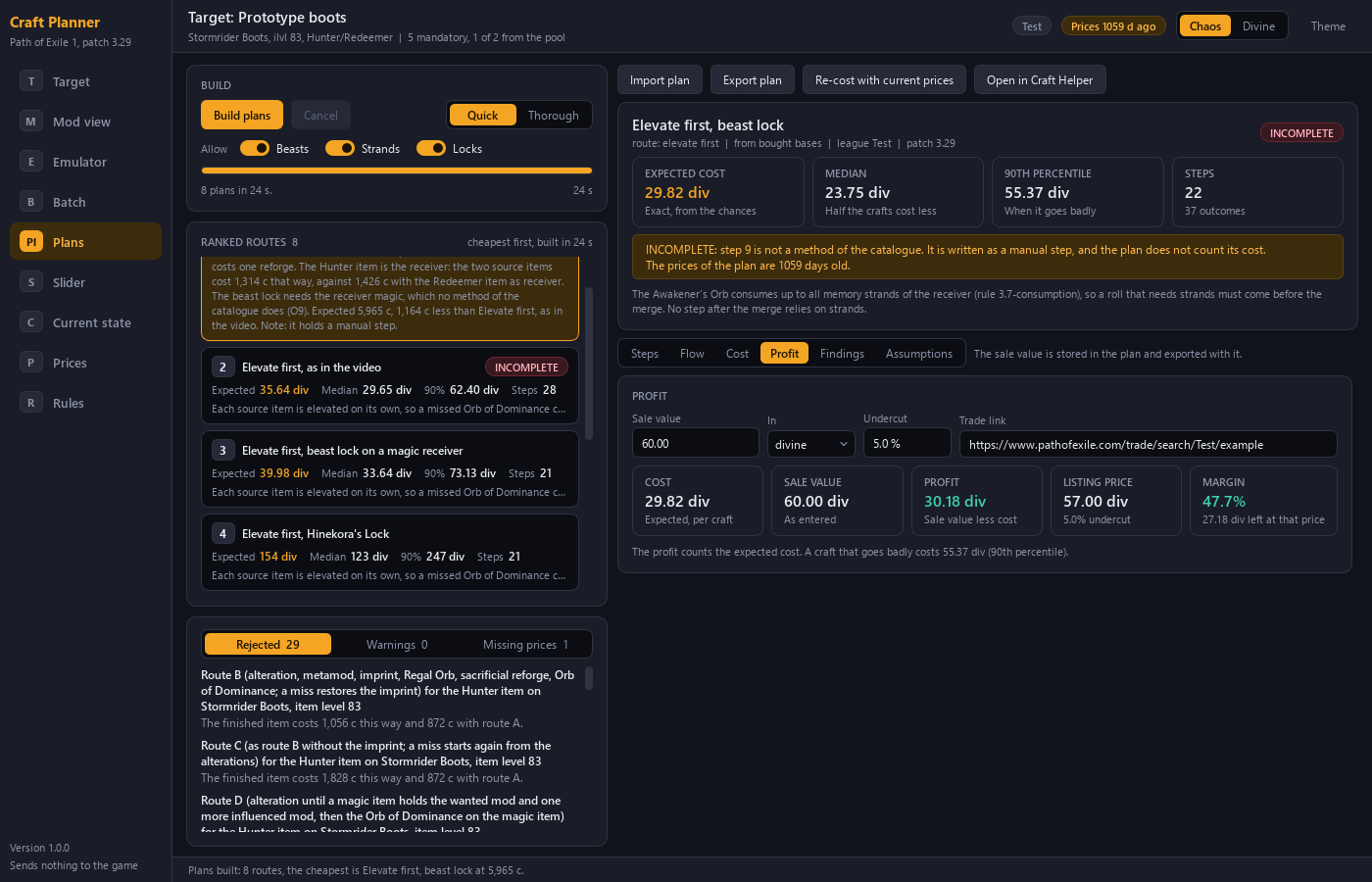
The Planner does not buy, list or sell anything. It only advises. For the cost figures themselves, expected cost, median and 90th percentile, see What a craft costs. The full list of functions is on the Features page.