Describe the item you want
A crafting plan needs a clear finish line. In the Craft Planner that line is the target: a description of every item that counts as a success. It is more than a list of mods, because most crafts have more than one acceptable result.
The four parts of a target
| Part | Meaning |
|---|---|
| Mandatory mods | Each must be on the finished item, at its minimum tier and minimum roll |
| Pool | Mods that are acceptable for the remaining slots |
| Count | How many pool members the item must hold |
| Unwanted list | Mods that make a result fail |
You rate each mandatory mod from 1 to 5 for importance. The cost slider uses that rating when it looks for a cheaper target.
Why a pool with a count
A fixed list cannot say "any one of these suffixes". A pool with a count says it directly. Every item that holds enough pool members counts as a success.
Start from a base, or from an item you hold
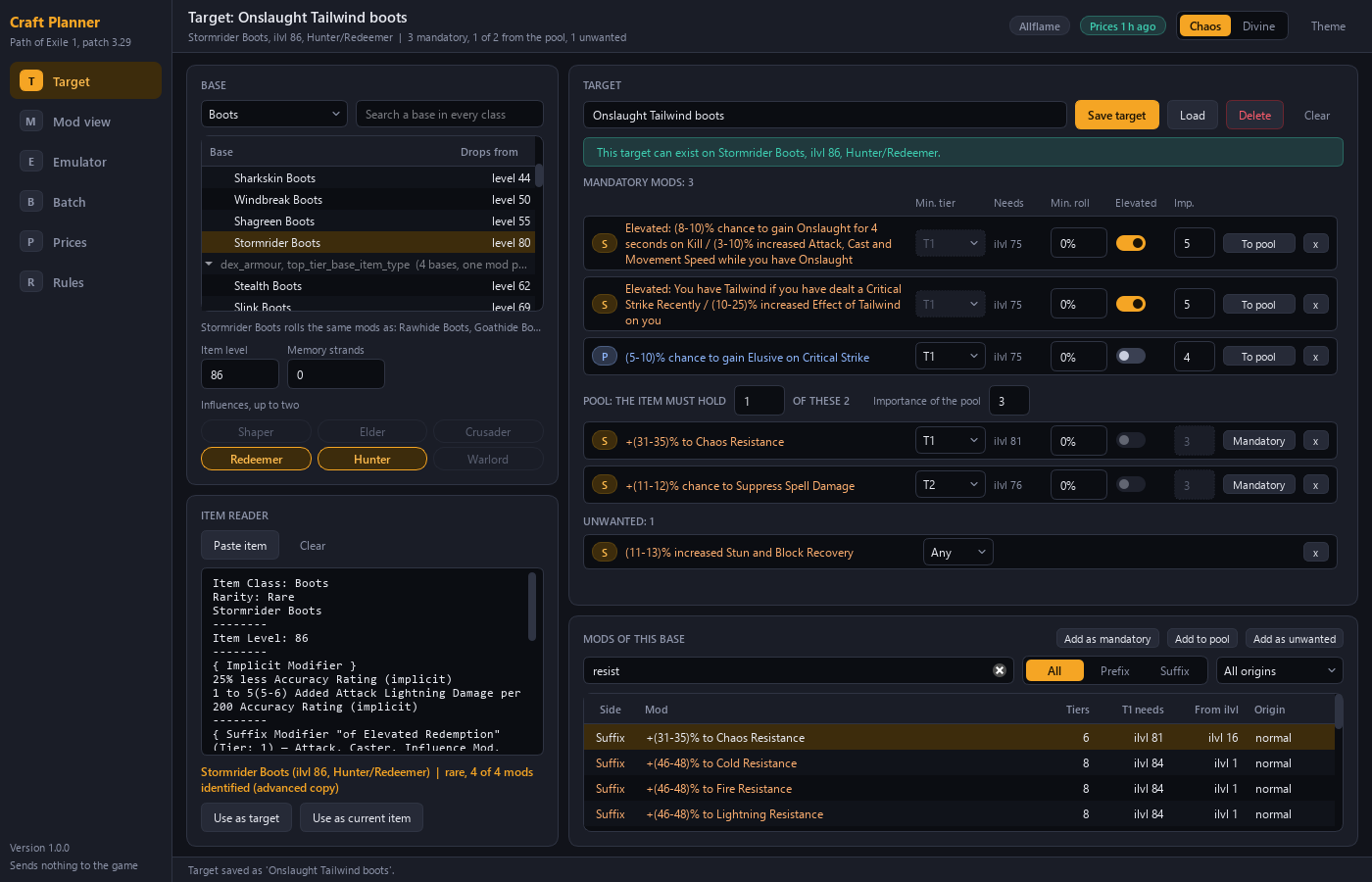
You choose the item class, the base, the item level and up to two influences. You can also enter memory strands. Bases that carry the same tags share one mod pool, so the picker groups them. You see at once that two bases roll the same mods.
A second way is to paste an item copied from the game. A pasted item becomes a target with every mod mandatory. You then move mods to the pool to loosen it.
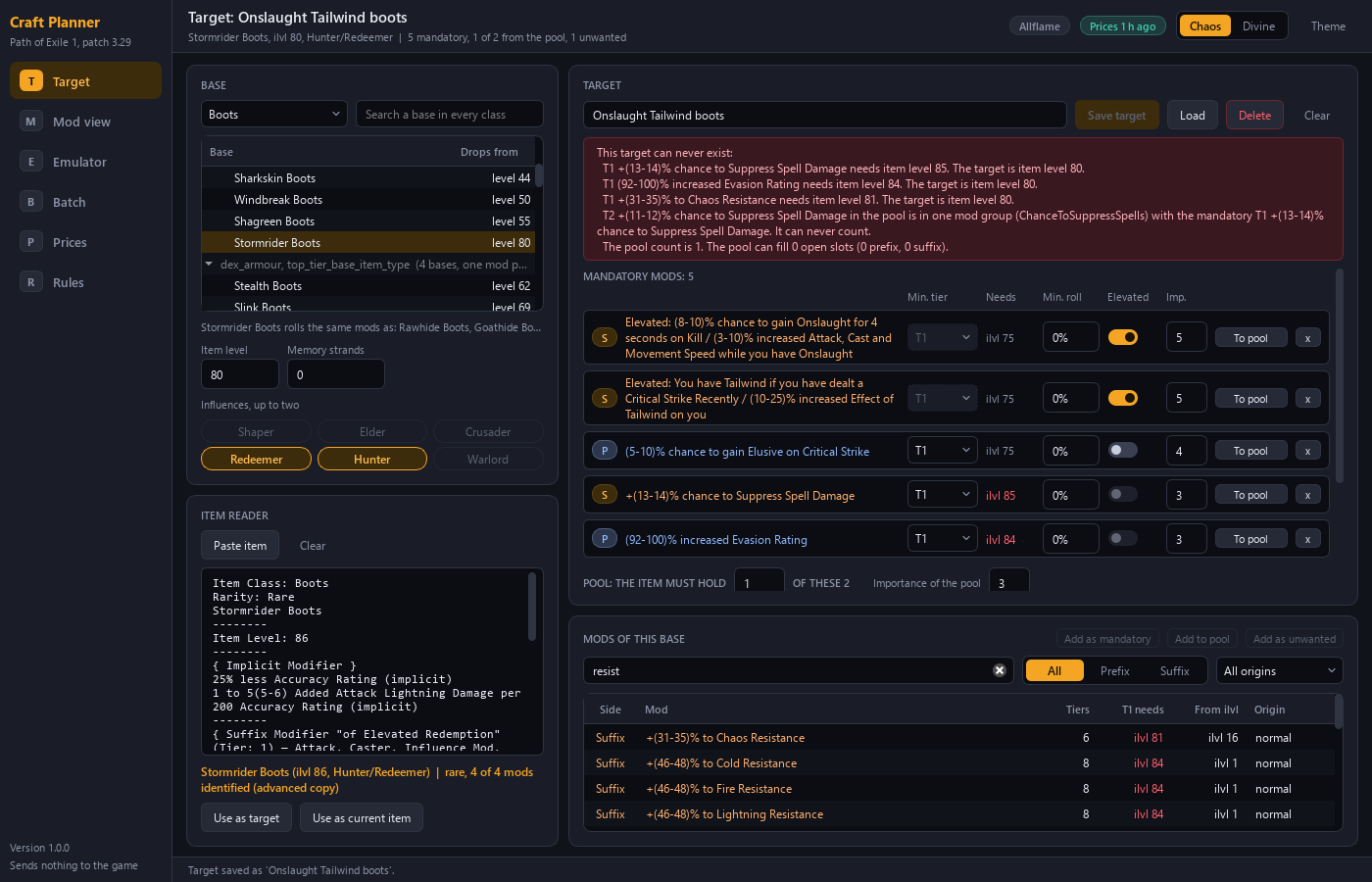
A target that cannot exist is refused
Every mod shows the item level its tier needs. A tier the base cannot roll is visible before you plan. The editor refuses a target that cannot exist and names each reason.
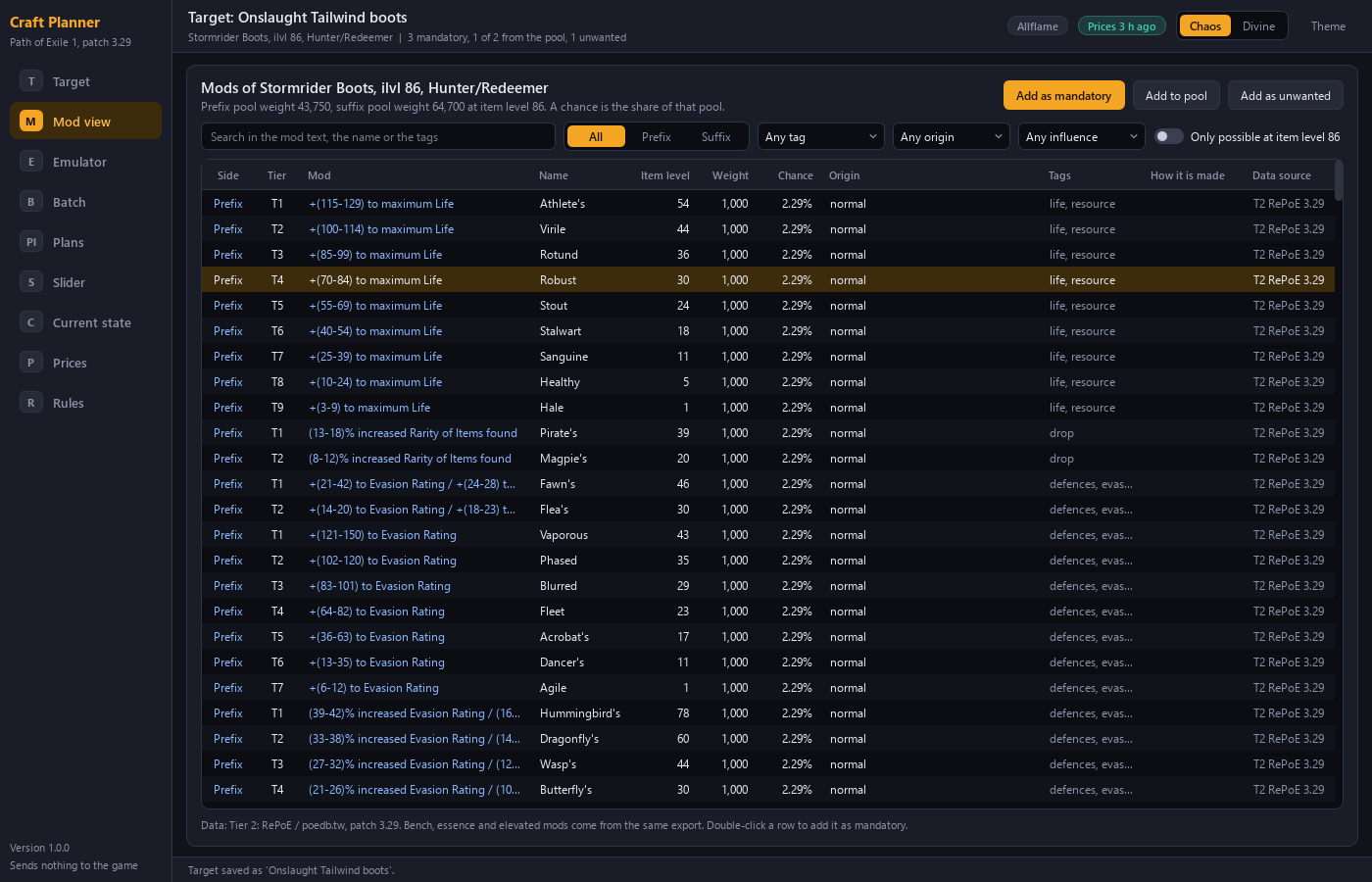
See every mod of the base
The Mod view lists every mod of the base with its tier, the item level it needs, its weight, its chance and its data source.
Keep a target for later
You can save a target under a name and load it again. The target is also part of the plan file.