A cheaper target, in named steps
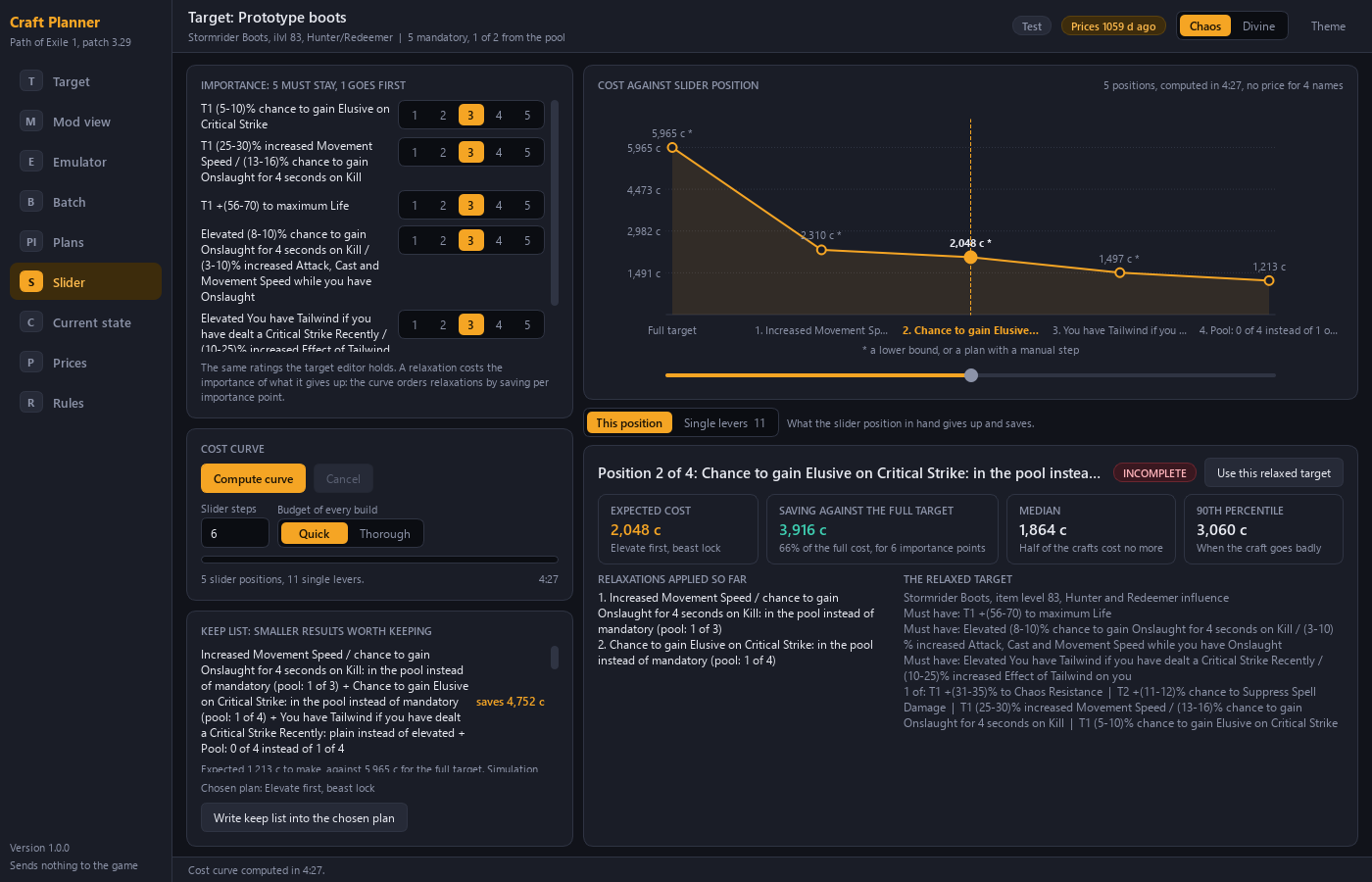
Sometimes the item you want costs more than you want to spend. The cost slider of the Craft Planner answers the next question: which part of the target can you give up, and what does each step save?
Design choice: the tool shows what a cheaper target gives up, in named steps. You decide. The tool does not lower the target for you.
The levers
Each mandatory mod of the target has levers.
| Lever | What it changes |
|---|---|
| A lower tier | The mod may roll at a lower tier |
| A lower roll | The minimum roll of the mod drops |
| Plain instead of elevated | The mod no longer needs to be elevated |
| A move into the pool | The mod is no longer mandatory. It becomes one of the acceptable mods |
| A substitute | Another mod may take its place |
The pool has one lever, its count.
The order of the steps
You rate each mandatory mod from 1 to 5 for importance. The Planner orders the relaxations by saving per importance point and names each one. So the steps with the most saving per importance point come first.
A lever that cannot be offered is greyed, with the reason.
The keep list
The slider also produces a keep list: smaller results that are worth keeping, each with its saving. You can write the keep list into the chosen plan.
The keep list matters during the real craft. The Craft Helper shows a message when your item matches the keep list, with the saving. You then decide whether to stop early.
Read the result
The slider plots the cost at each position. For the three cost figures of a plan, expected cost, median and 90th percentile, see What a craft costs.