Features and design choices
The Craft Planner answers one question: what is the cheapest sensible way to craft this item, and what can go wrong on the way?
You describe the item you want. The Planner proposes routes, each a list of steps with its chance, its expected cost and its failure branches. It ranks the routes by cost. The Craft Helper then walks you through one plan during the real craft.
Neither program sends anything to the game.
| Program | Job |
|---|---|
| Craft Planner | Emulates crafting on a virtual item, builds and ranks plans, shows cost and profit |
| Craft Helper | Walks you through one plan during the real craft. A separate program |
Both programs are coming soon. They are not released yet. See Download.
Both programs cover gear in Path of Exile 1. The pictures on this page show a sample target. Some of them use test prices.
Feature rundown
1. Pick a base
You choose the item class, the base, the item level and up to two influences. You can also enter memory strands. A second way is to paste an item copied from the game.
Design choice: bases that carry the same tags share one mod pool, so the picker groups them. You see at once that two bases roll the same mods.
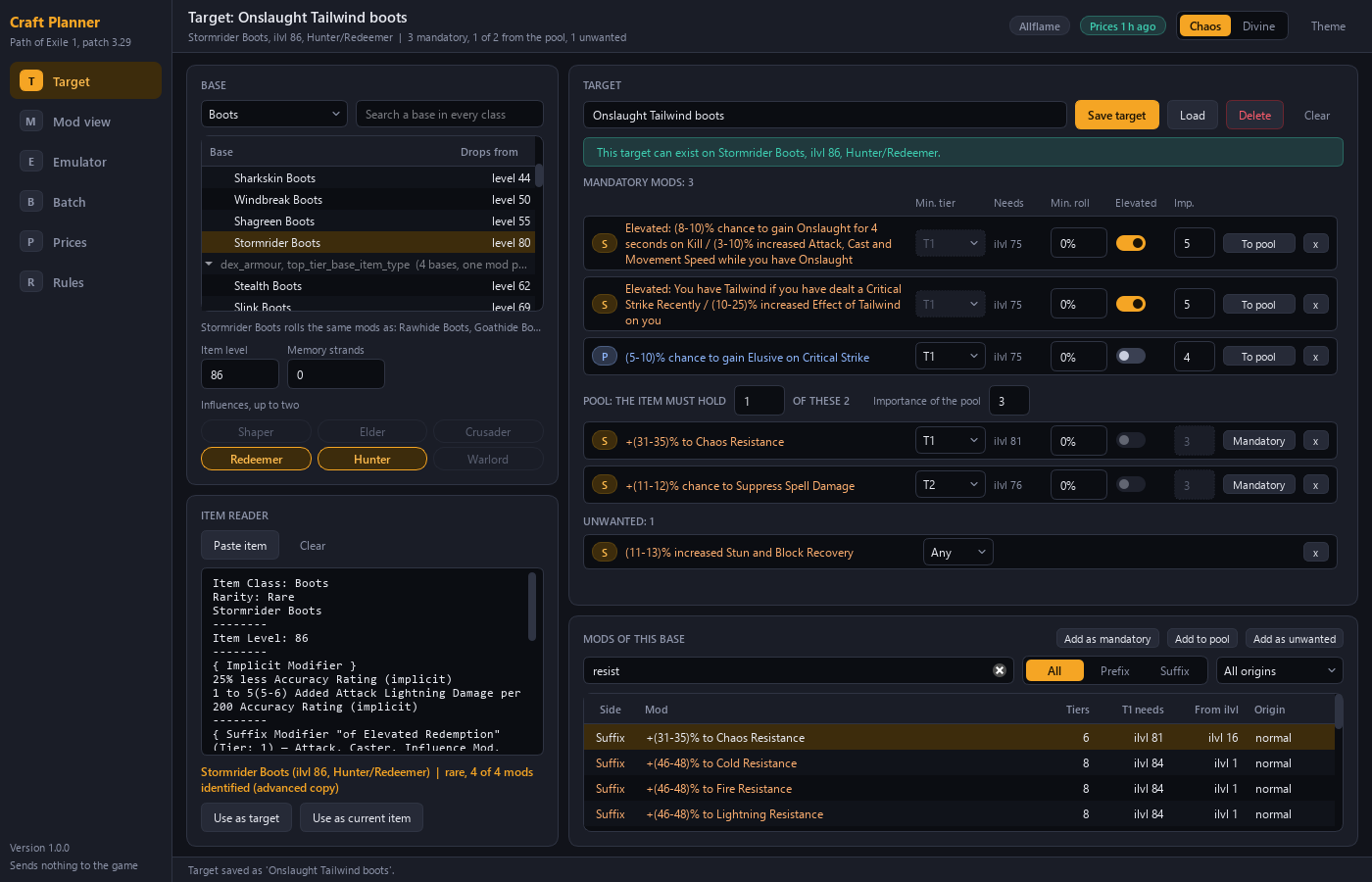
2. Describe the target
A target has four parts.
| Part | Meaning |
|---|---|
| Mandatory mods | Each must be on the finished item, at its minimum tier and minimum roll |
| Pool | Mods that are acceptable for the remaining slots |
| Count | How many pool members the item must hold |
| Unwanted list | Mods that make a result fail |
You rate each mandatory mod from 1 to 5 for importance. You can save a target under a name and load it again.
Design choices:
- A pool with a count says "any one of these suffixes" directly. A fixed list cannot.
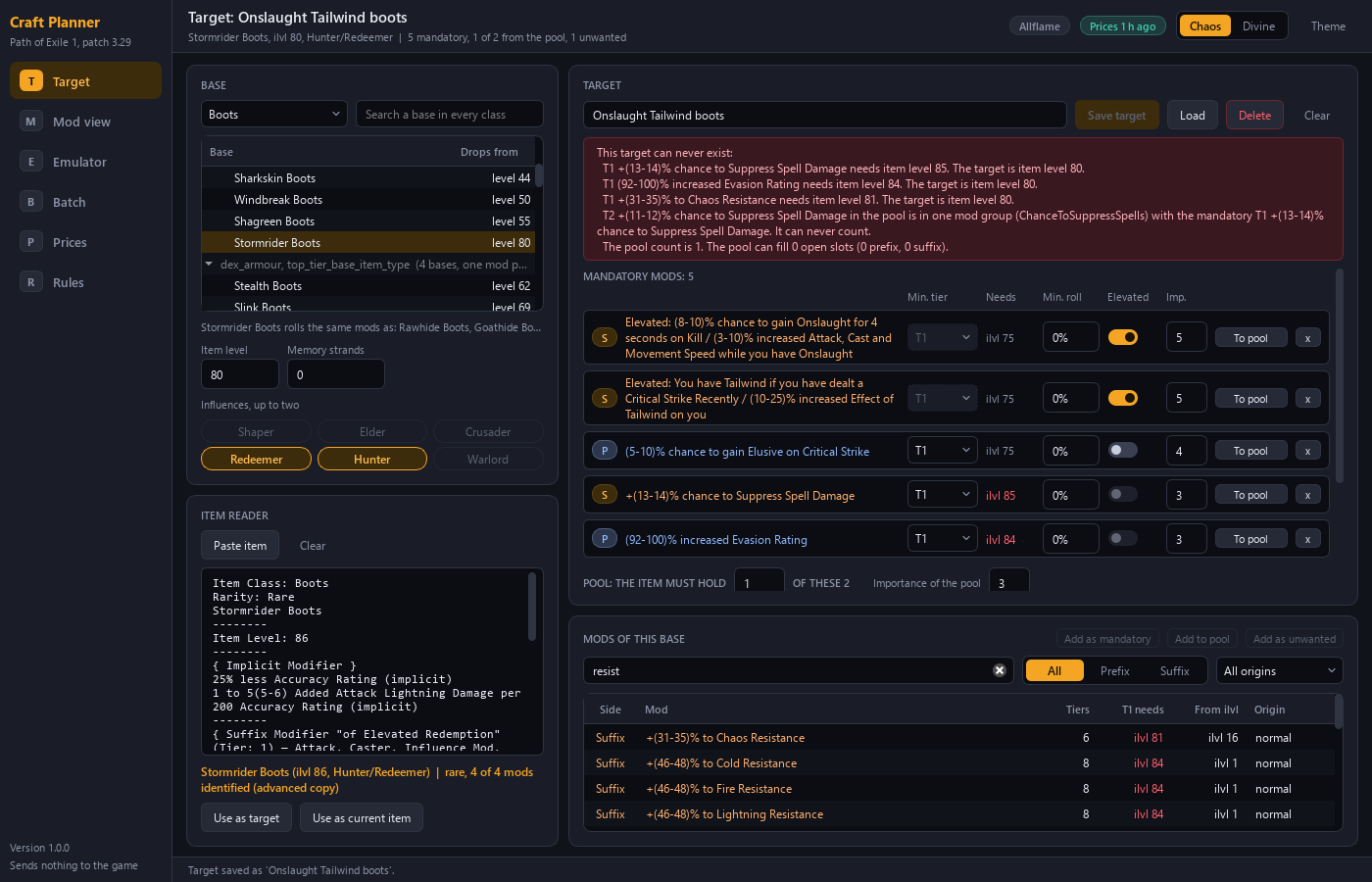
- Every mod shows the item level its tier needs. A tier the base cannot roll is visible before you plan.
- The editor refuses a target that cannot exist and names each reason.
- A pasted item becomes a target with every mod mandatory. You then move mods to the pool to loosen it.
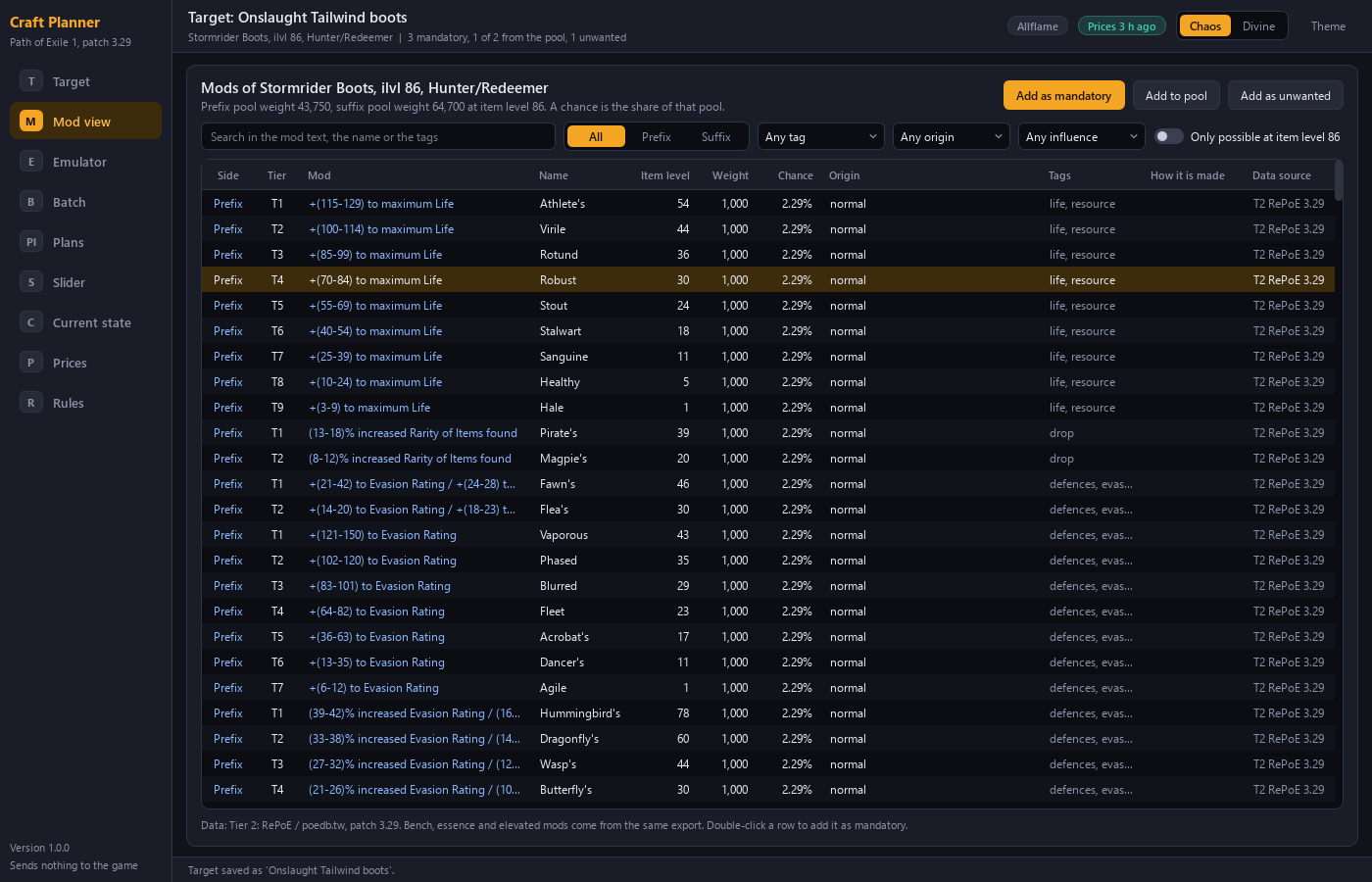
3. Try it by hand in the emulator
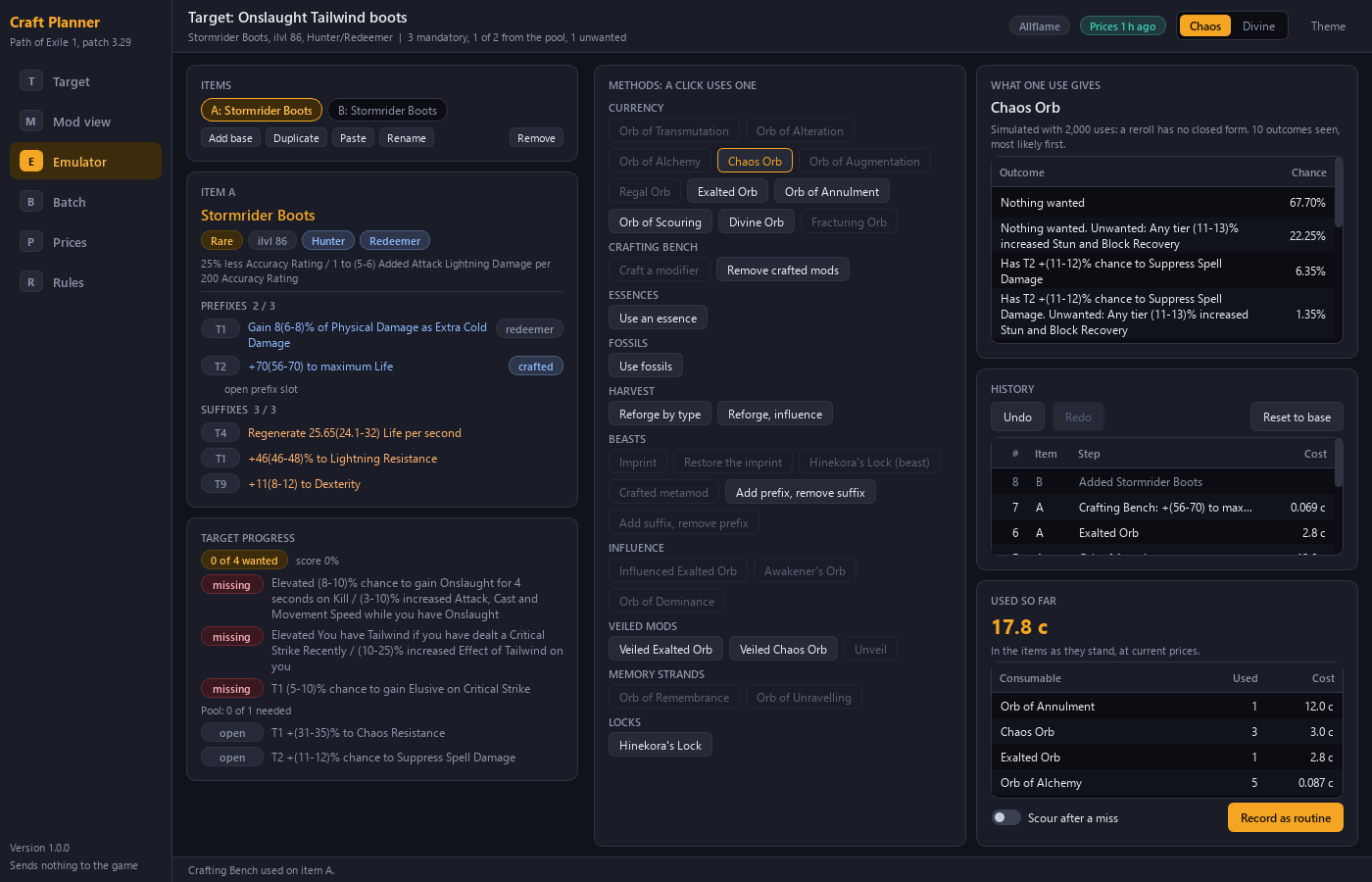
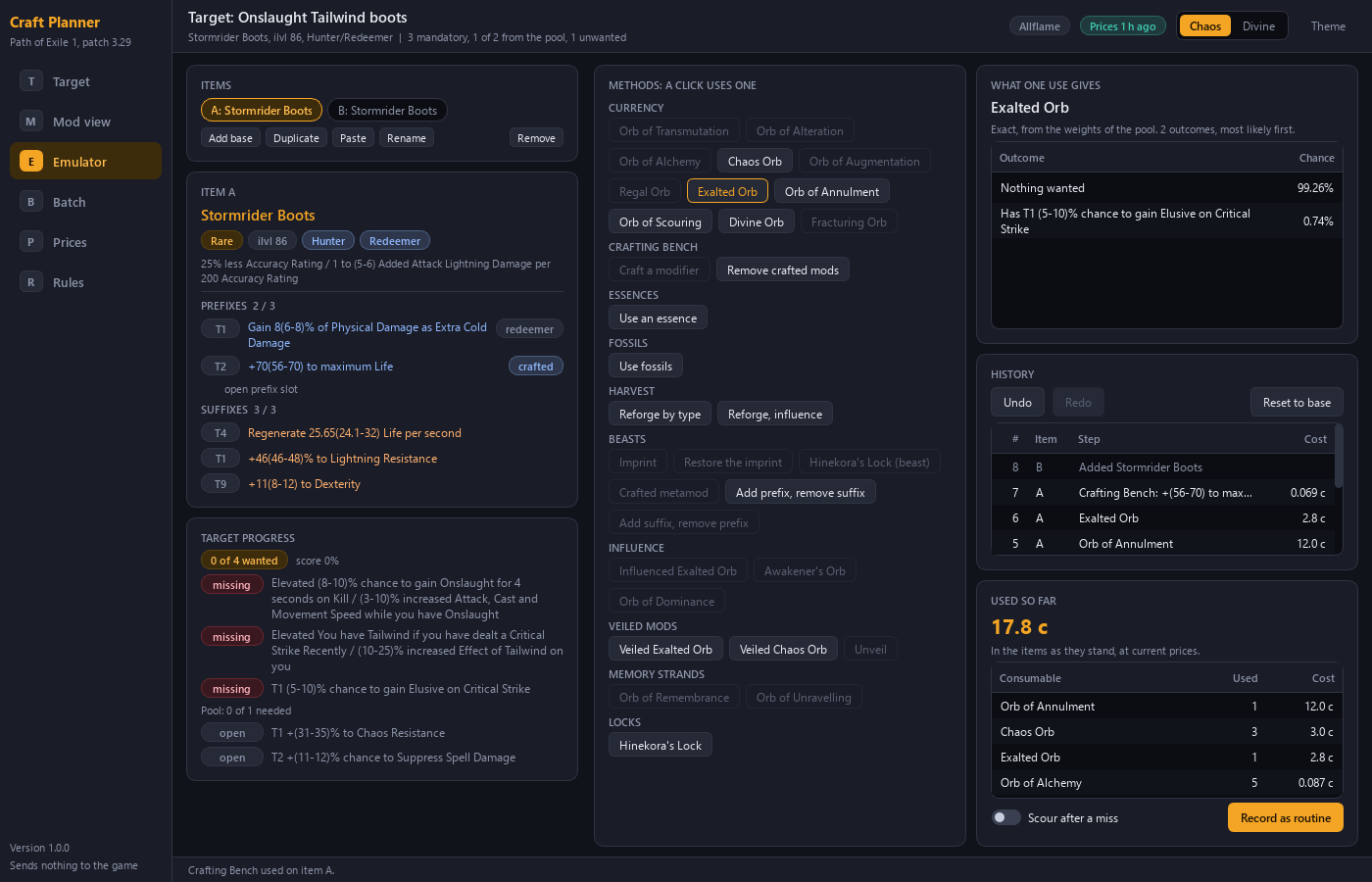
The Planner holds a virtual item. You click a currency, a bench craft, an essence, a fossil, a Harvest reforge or a beast recipe. Influence orbs, veiled orbs, memory strands and locks are available as well. The item changes as the rules and weights in the Planner say.
The emulator keeps a history with undo and redo. It also counts what the consumables cost so far.
Design choice: the emulator and the plan builder use the same rules. What you try by hand follows the same model as a generated plan.
4. Get a plan
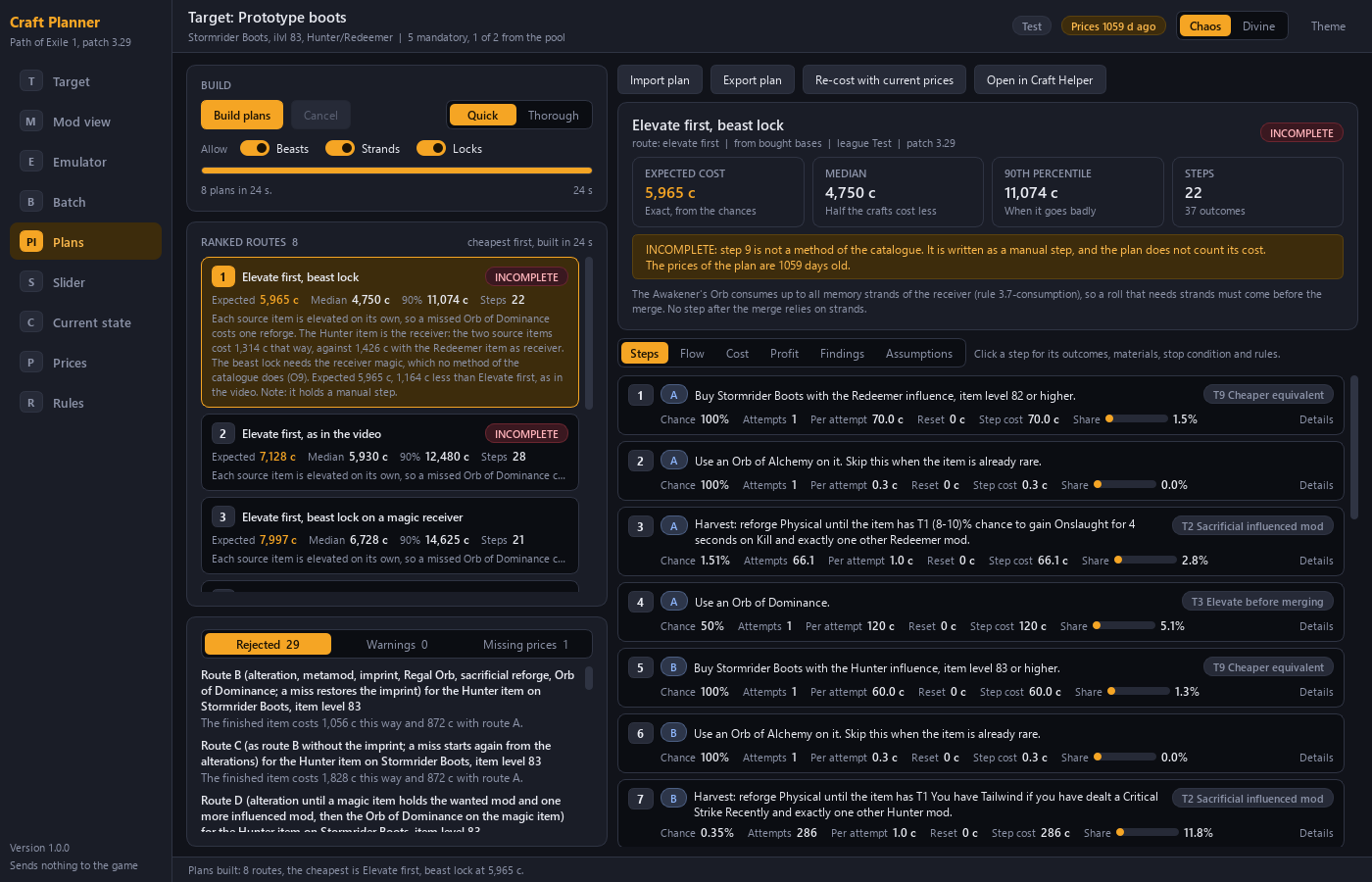
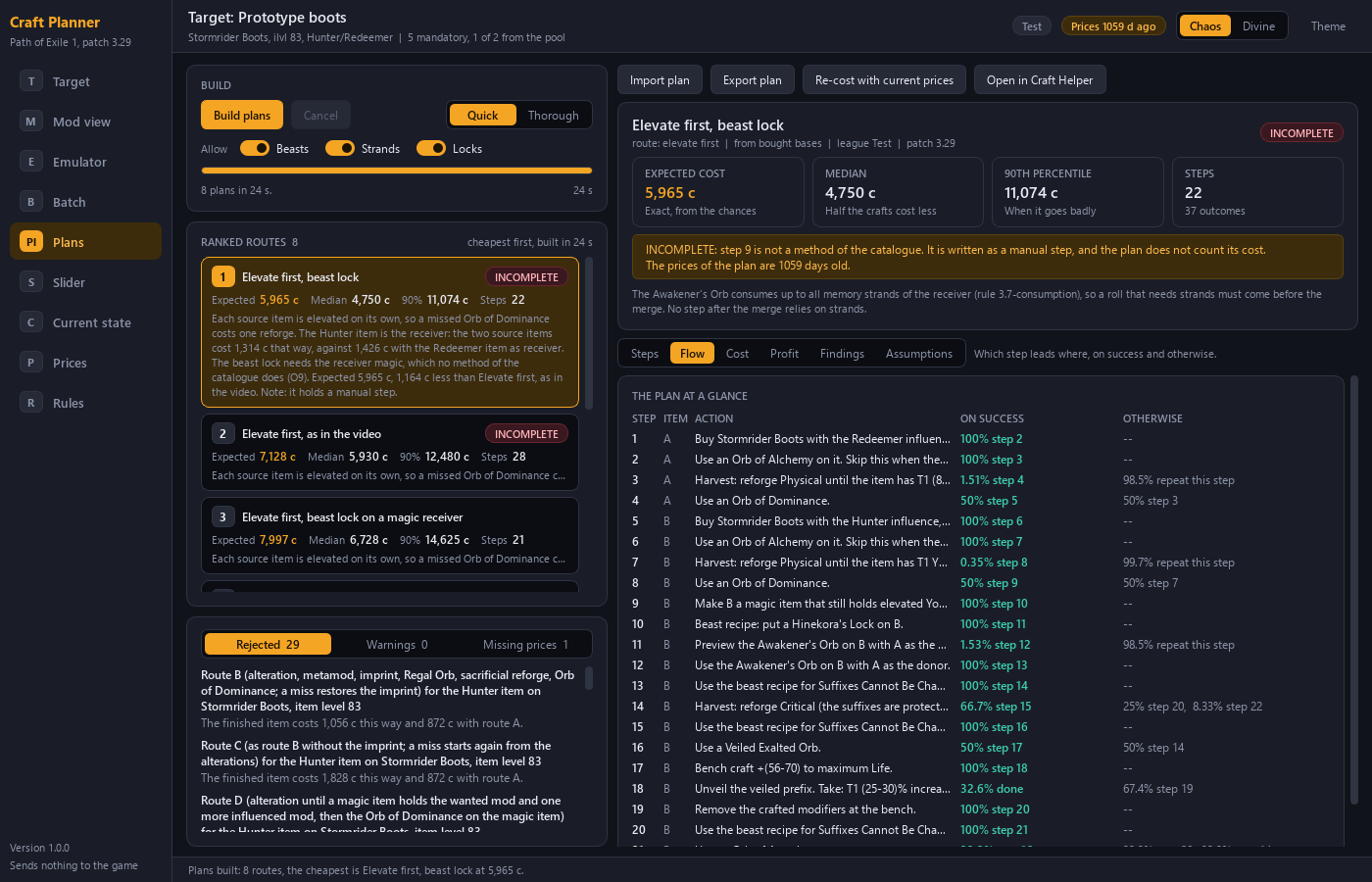
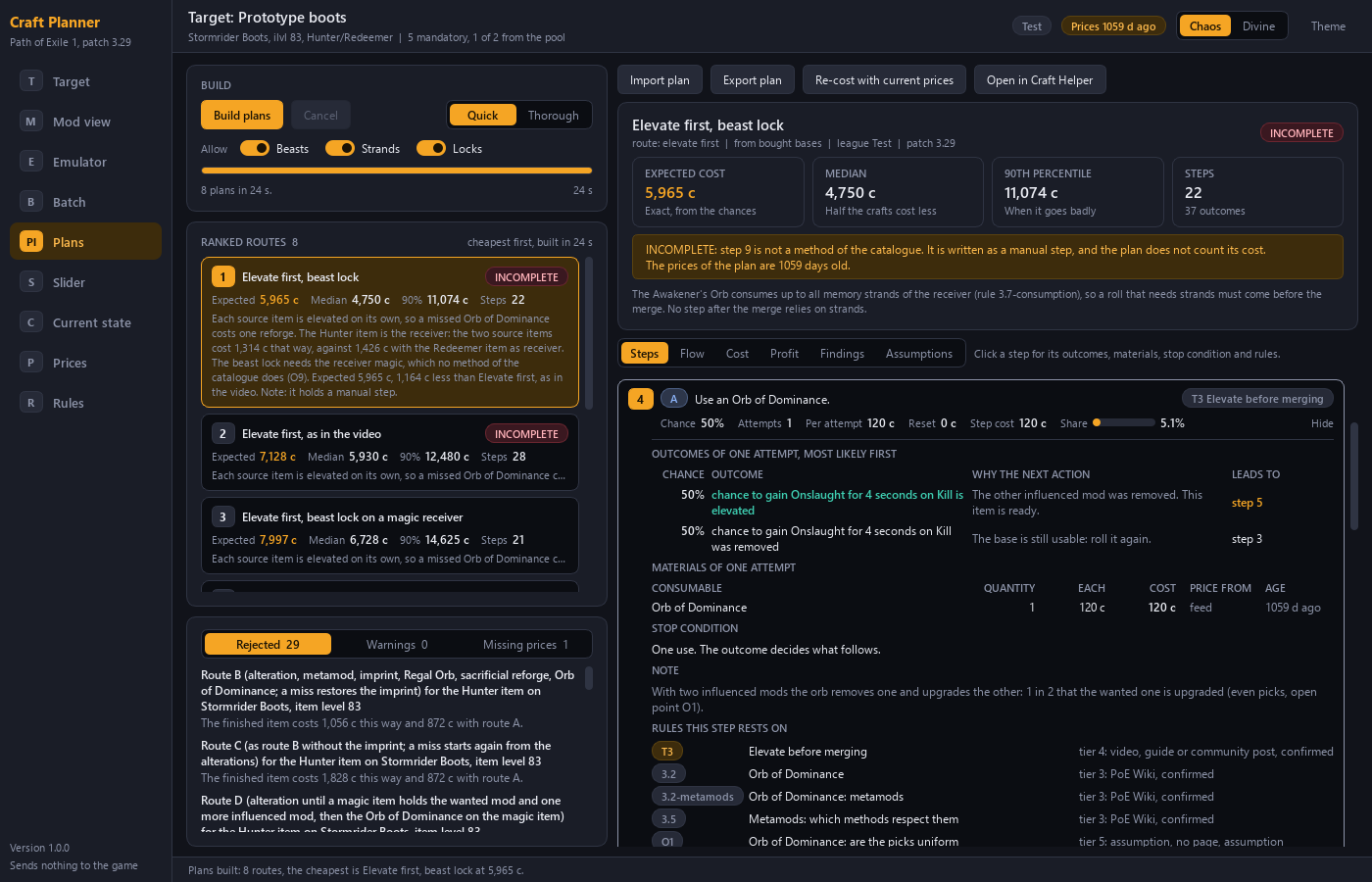
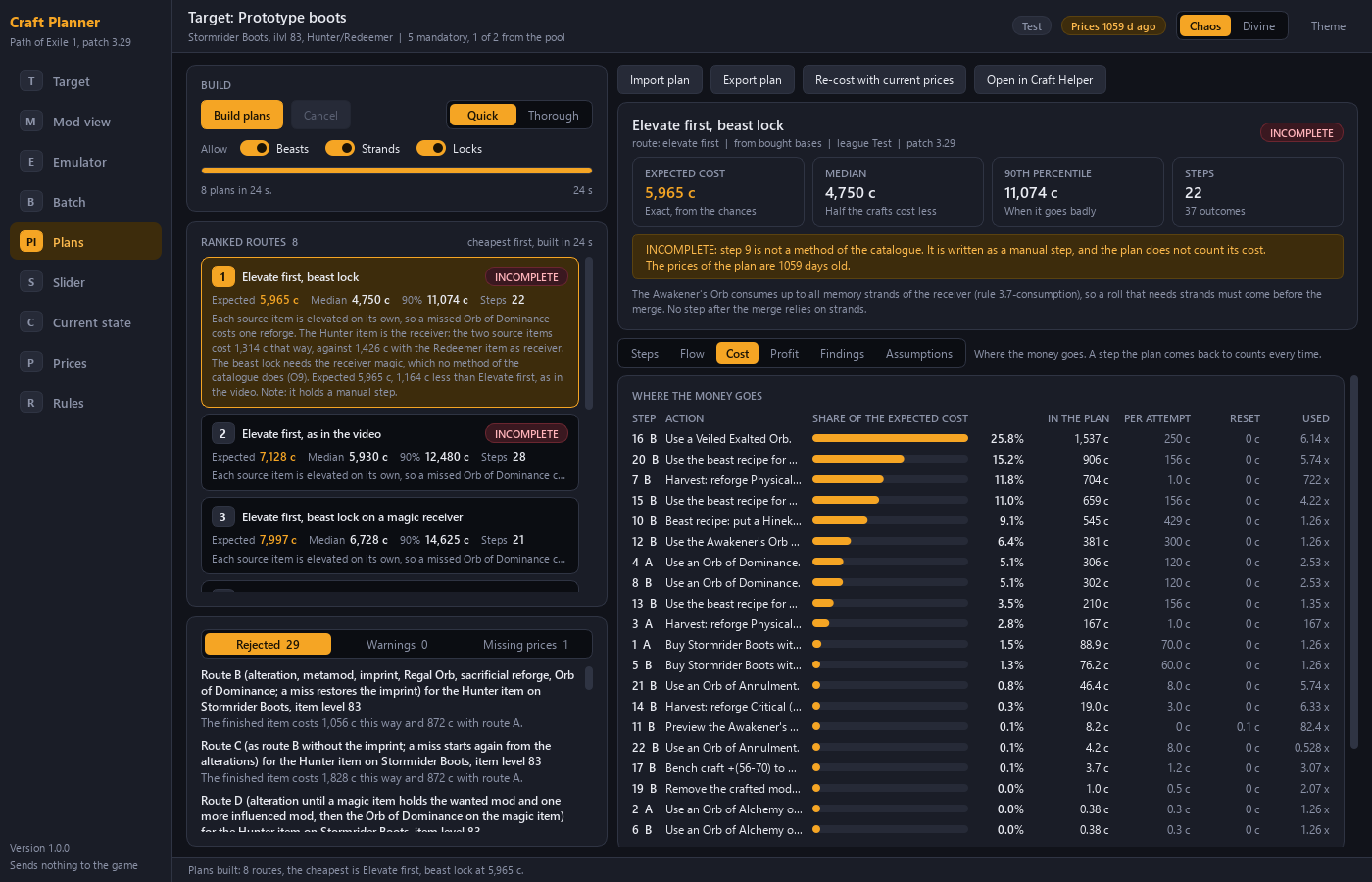
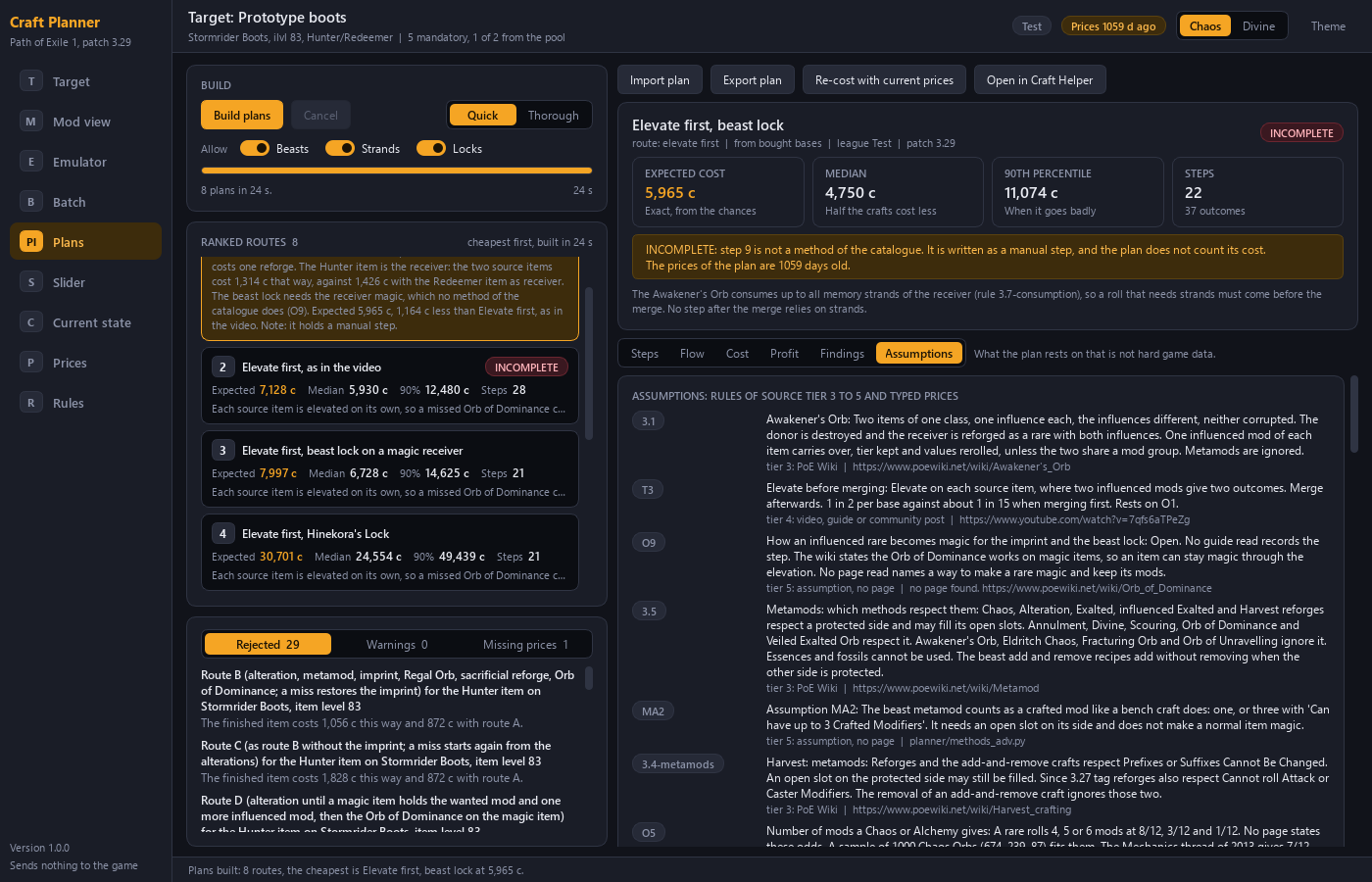
The Planner proposes routes from your base to your target and ranks them, cheapest first. Each step shows the action, the stop condition, the chance, the expected attempts and the cost. Each step lists its outcomes: what can happen, how likely it is, why the next action follows, and where the plan continues.
Design choices:
- The Planner searches for routes. It does not offer a fixed menu of loops.
- Routes can chain several methods and several items, such as preparing two influenced bases and merging them.
- Every rule carries its source tier. A plan lists the rules it uses that are not hard game data.
- Routes that were built and rejected are listed with the reason.
- A plan with a step the Planner cannot cost is marked as incomplete.
5. See the likely outcomes of a step
For any step the Planner lists the possible outcomes with their chance, most likely first. You see what a step will probably give before you spend on it. The emulator shows the same list for a single use of a method.
6. Know the cost and its spread
Per step you see the cost of one attempt and the cost to reset the item after a failure. Per plan you see the expected cost, the median and the 90th percentile. The Cost tab shows which steps take the largest share.
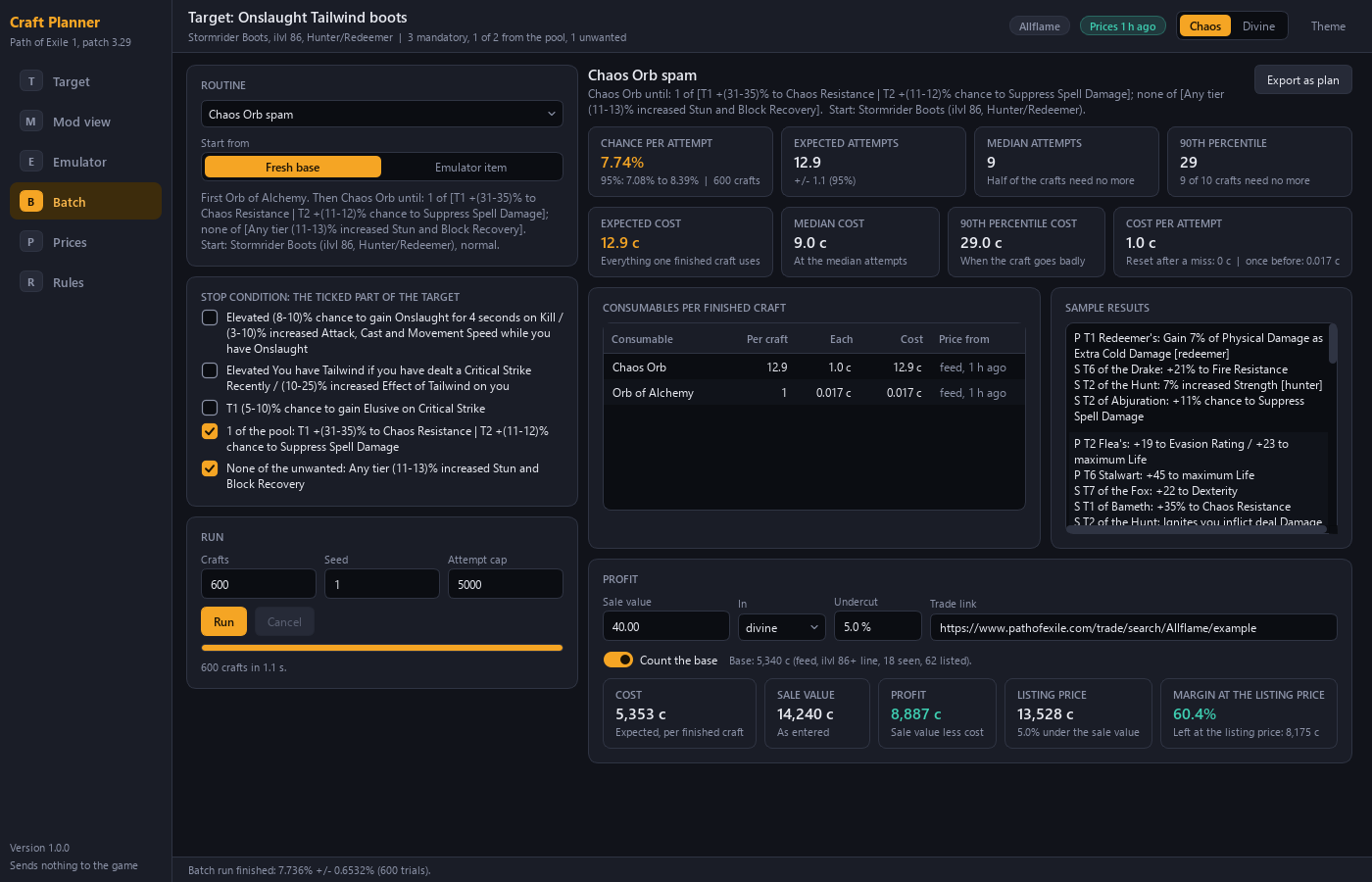
The Batch page runs one method many times on a virtual item. It reports the chance per attempt, the expected attempts and the cost.
Design choice: an average alone hides bad luck. The 90th percentile tells you what the craft costs when it goes badly.
7. Prices and profit
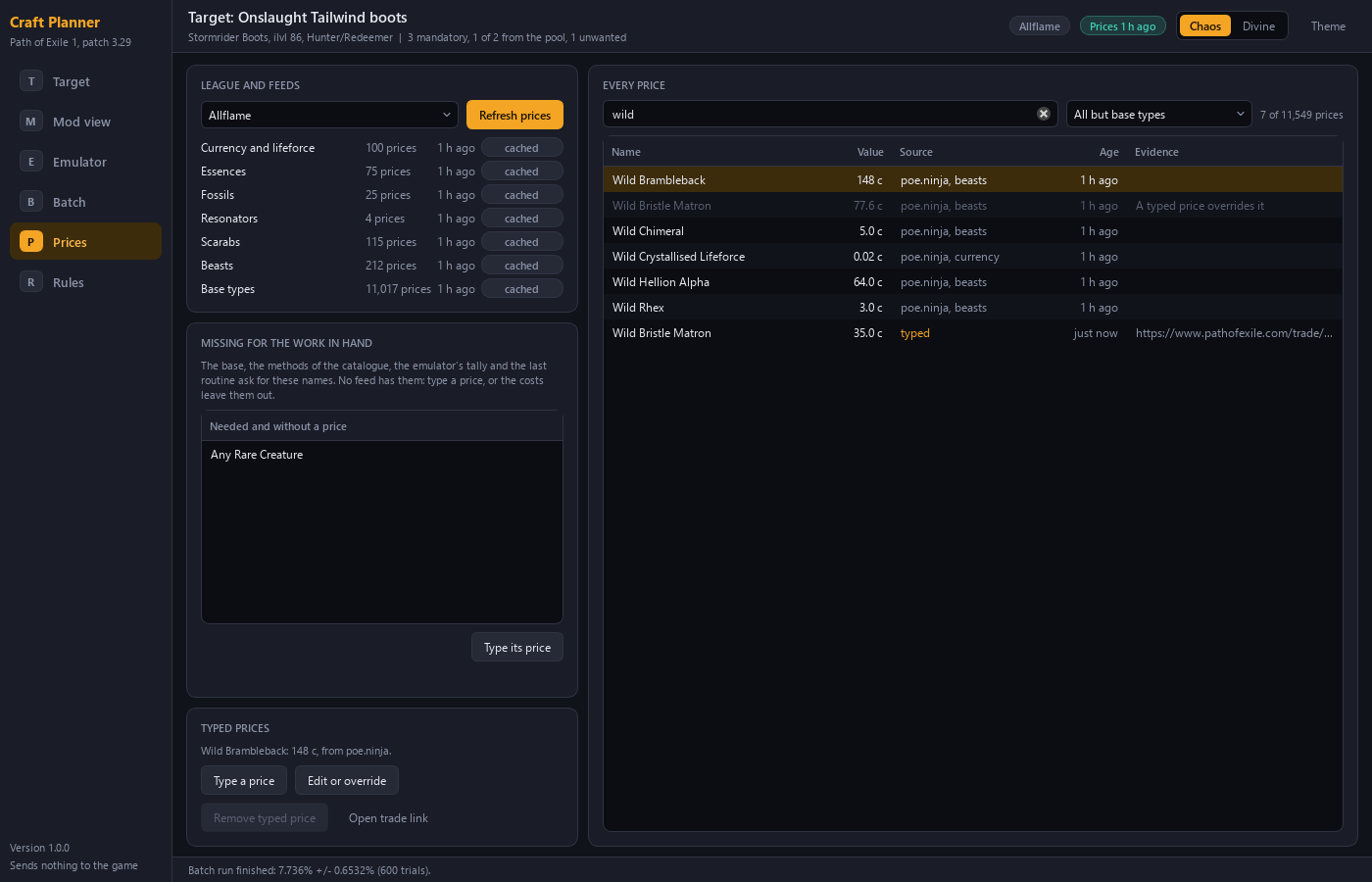
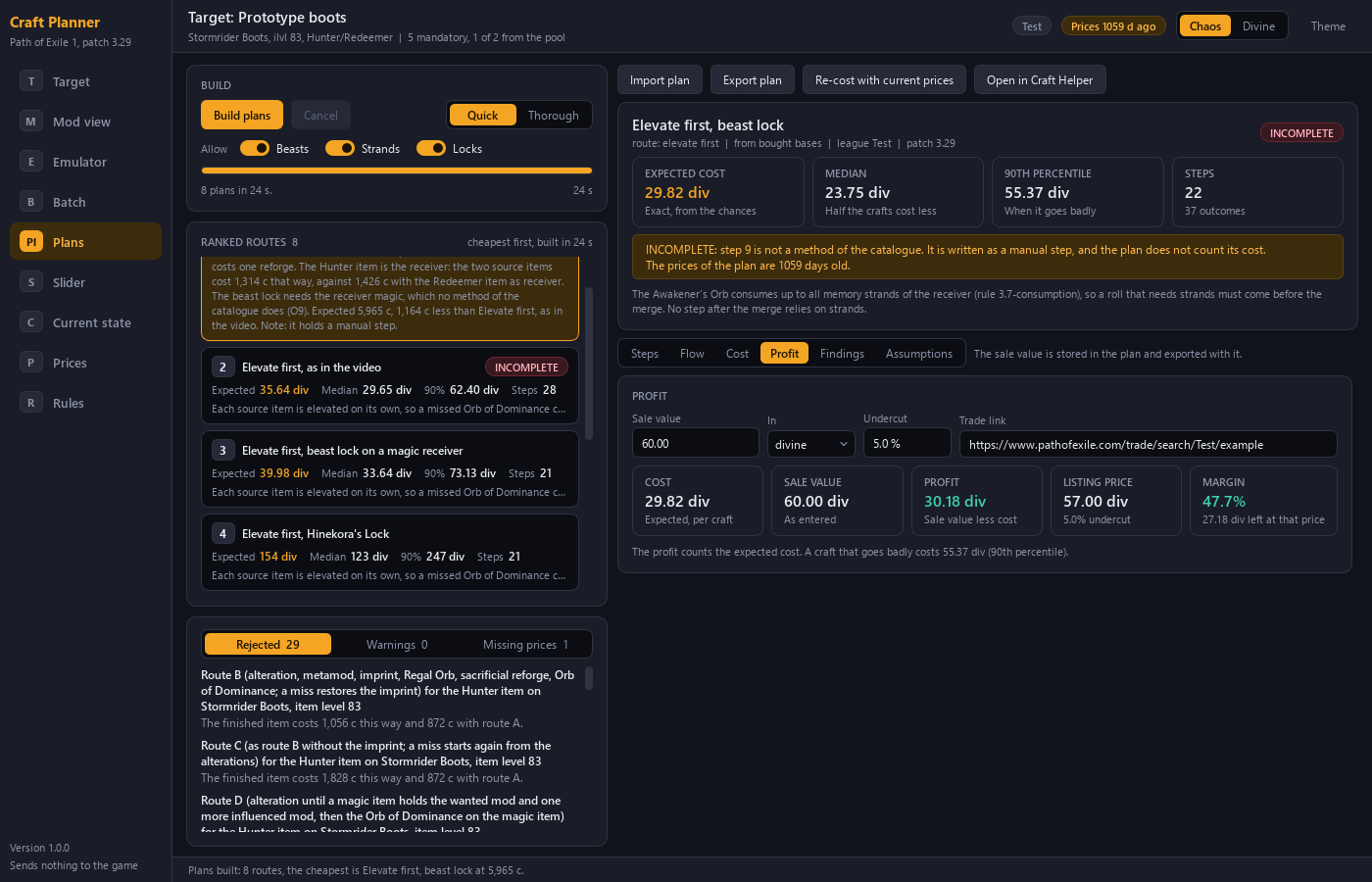
Prices for currency, lifeforce, essences, fossils, resonators, scarabs, beasts and base types come from poe.ninja. Where no feed has a price, you type it. You enter a sale value and the Planner shows cost, profit and a listing price at an undercut you choose.
Design choices:
- Every price shows its source and its age. A typed price is marked.
- You can attach a trade search link to a typed price as evidence.
- All figures can be shown in divine or chaos.
- The Planner names the items it needs and has no price for.
8. The cost slider and the keep list
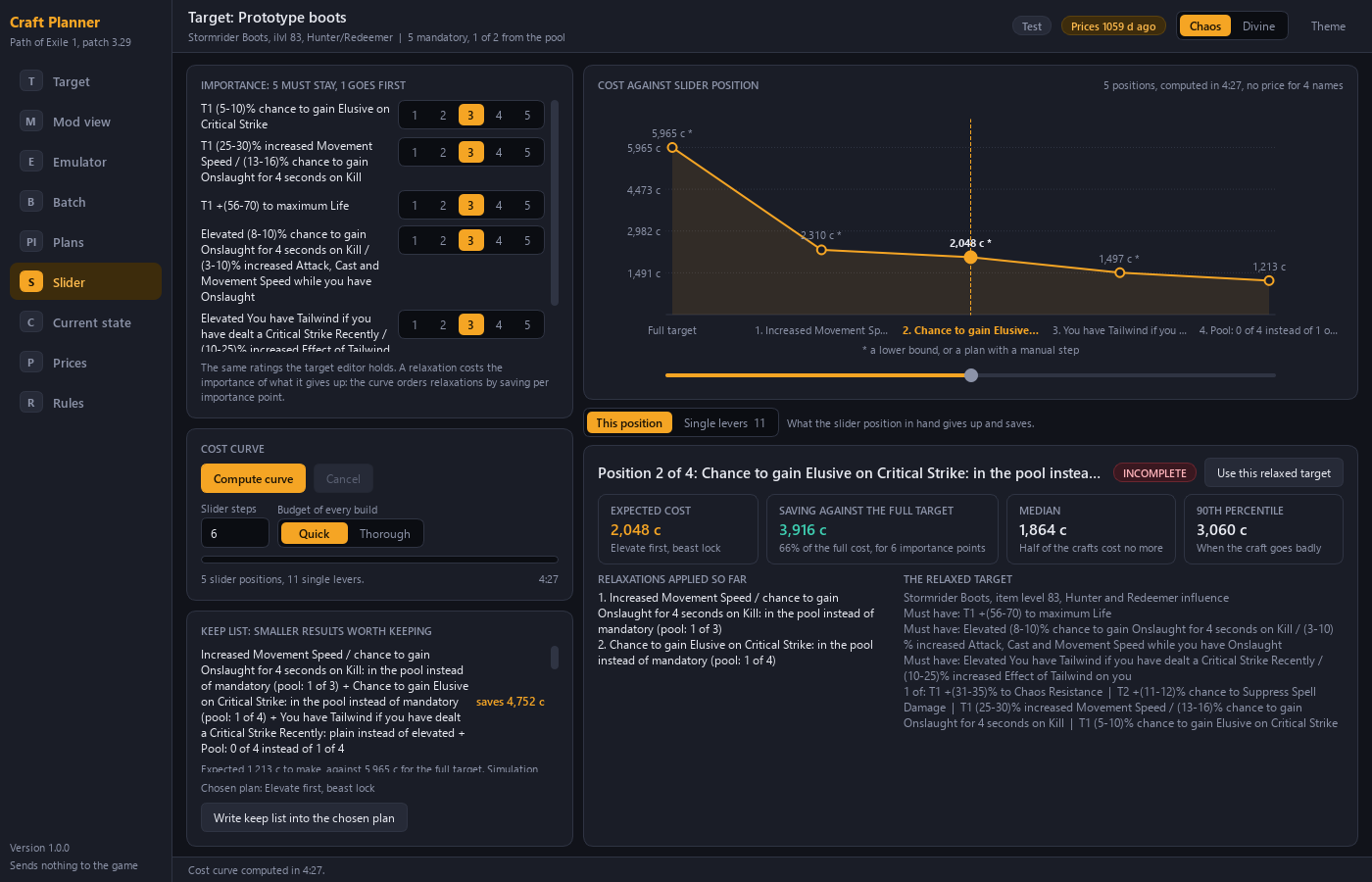
Each mandatory mod has levers: a lower tier, a lower roll, plain instead of elevated, a move into the pool, a substitute. The pool has one lever, its count. The Planner orders the relaxations by saving per importance point and names each one. A lever that cannot be offered is greyed, with the reason.
The slider also produces a keep list: smaller results that are worth keeping, each with its saving. You can write the keep list into the chosen plan.
Design choice: the tool shows what a cheaper target gives up, in named steps. You decide. The tool does not lower the target for you.
9. Export a plan
One plan is one file in JSON text, with the ending .craftplan.json. It holds the target, the steps, the outcomes with their reasons, the prices with their age, the keep list and the assumptions.
You can import a plan file again and cost it with the current prices. The Planner then shows the old figures against the new ones.
Design choices:
- The file carries what the Helper shows: steps, outcomes, reasons, prices and the keep list.
- The file carries a format version. A program refuses a file of an unknown version with a clear message.
- The Helper never writes to the plan file.
10. Follow the plan with the Craft Helper
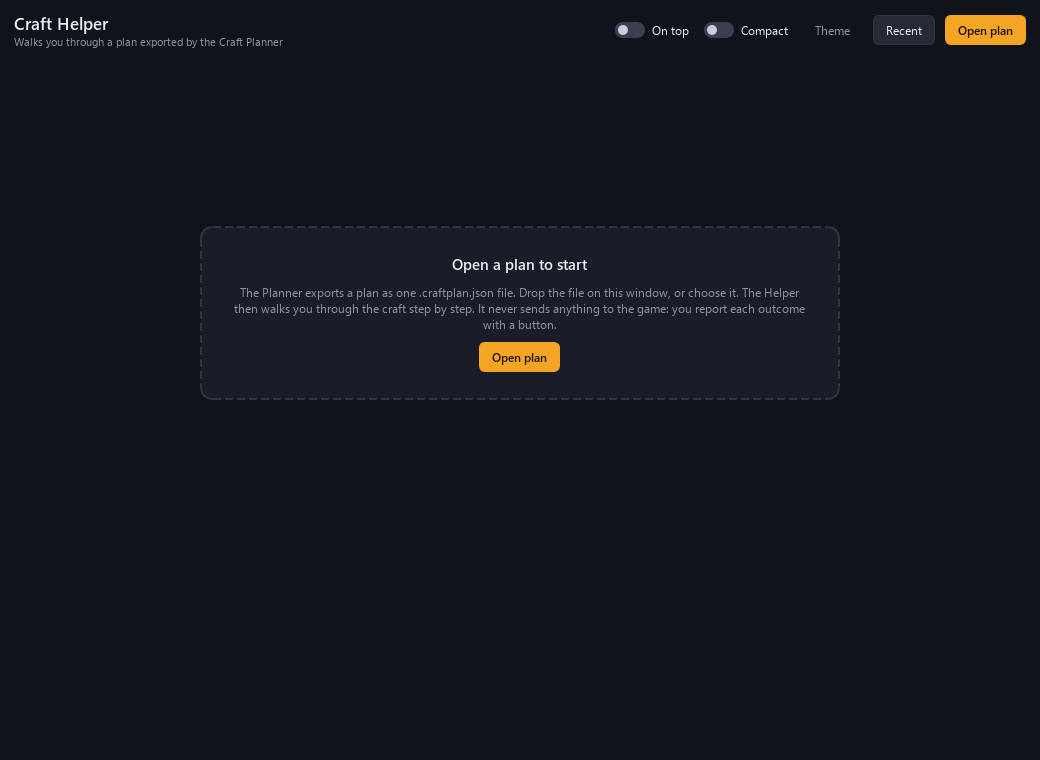
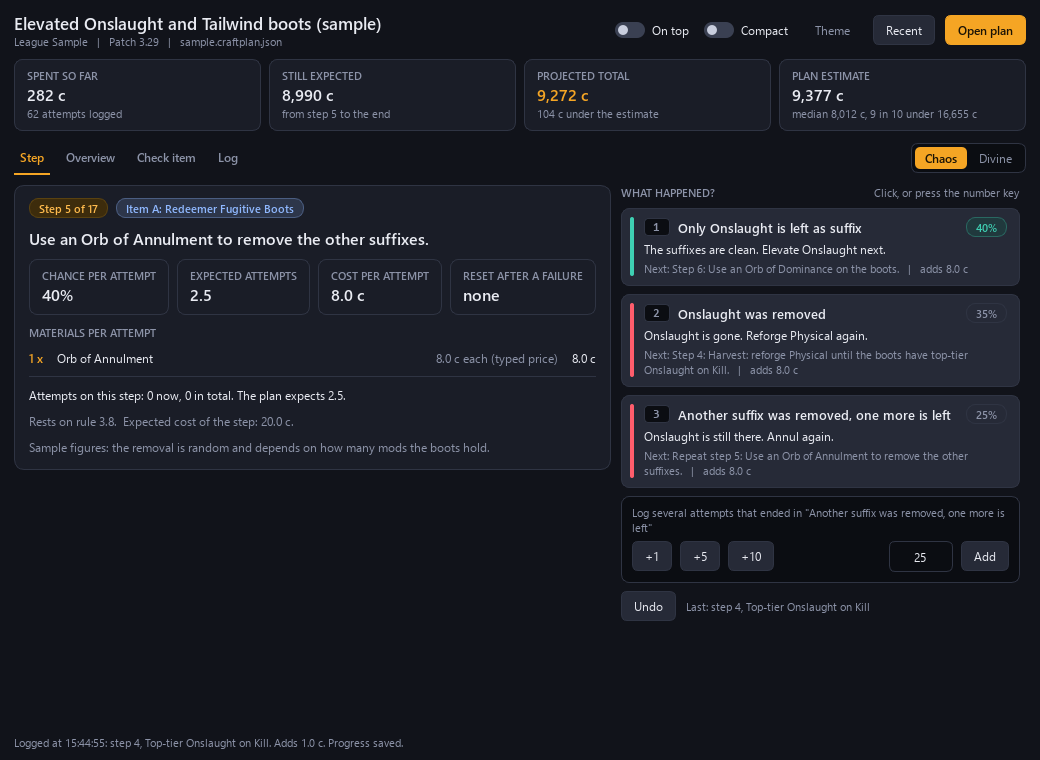
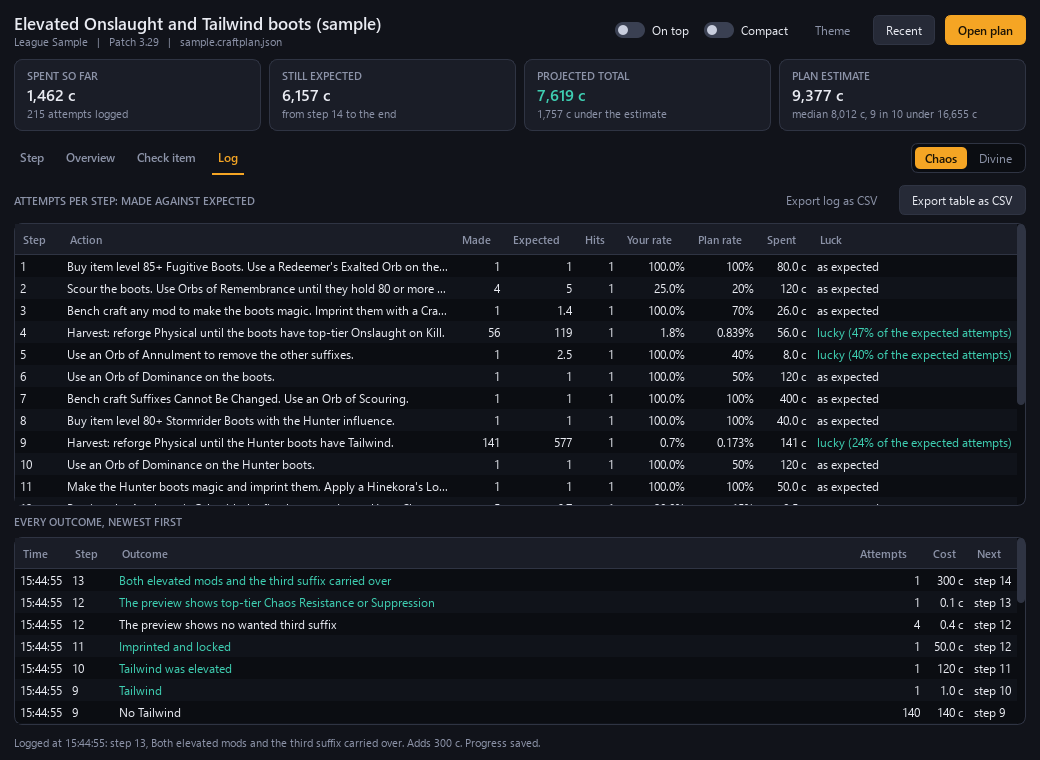
The Helper opens a plan file and shows one step at a time. You report the outcome with a button or a number key. The Helper shows the next step and the reason. You can paste the item text and the Helper tells you which outcome fits.
| Function | What you see |
|---|---|
| Tally | Spent so far, cost still expected, projected total and the estimate of the plan |
| Attempt log | Attempts made against attempts expected, per step. The log can be exported as CSV |
| Early stop | A message when the item matches the keep list, with the saving |
| Saved progress | Progress goes into a second file beside the plan. You can close the Helper and continue later |
| Window options | The window can stay on top of other windows. A compact view is available |
| Re-plan | Paste the item into the Current state page of the Planner to plan the rest from where you are |
Design choice: the Helper stays manual. You do the craft. It keeps the place, the cost and the reasons.
What the programs leave out, and why
| Left out | Reason |
|---|---|
| Any input to the game | The Planner and the Helper only advise |
| Reading the stash | Same reason |
| Buying, listing or selling | Same reason |
| Sales tracking and community chat | Outside the purpose of the tools |
Planned
The items below are planned. They are not part of the current programs.
| Planned | Note |
|---|---|
| Jewels, cluster jewels, flasks and maps | The current programs plan gear only |
| Path of Exile 2 | A second game mode with its own bases, mods and currencies |
Design choices at a glance
| # | Choice |
|---|---|
| 1 | Bases grouped by shared tags |
| 2 | Target as mandatory mods, a pool, a count and an unwanted list |
| 3 | Tier list with the item level per tier |
| 4 | Named targets |
| 5 | Emulator on a virtual item |
| 6 | Generated routes with failure branches |
| 7 | Outcome list per step |
| 8 | Median and 90th percentile beside the average |
| 9 | Price source, age and trade link on every price |
| 10 | Cost slider with named relaxations |
| 11 | Keep list computed by the tool |
| 12 | One plan file that the Helper follows |
| 13 | Manual Helper with tally, attempt log and reasons |
| 14 | Source tier on every rule |
| 15 | No input to the game |